 Now Available on Google Play
Your All-in-One
RF Workspace
Access a comprehensive suite of professional RF tools right from your mobile device. S-parameter plotting, circuit simulation, impedance matching, SNP batch processing — all in one app.

Everything an RF Engineer Needs
From S-parameter visualization to impedance matching synthesis — RF View covers every stage of your RF design workflow.
Open SNP / S2P files, compare multiple traces on one chart. dB, VSWR, Phase, Group Delay, Smith chart — all with multiple markers.
Build circuits with R, L, C, T-line, and S2P blocks. Simulate multi-port networks and send results directly to the Plot tab.
One-click L/C lumped matching network synthesis. Instantly visualize frequency response as you adjust component values.
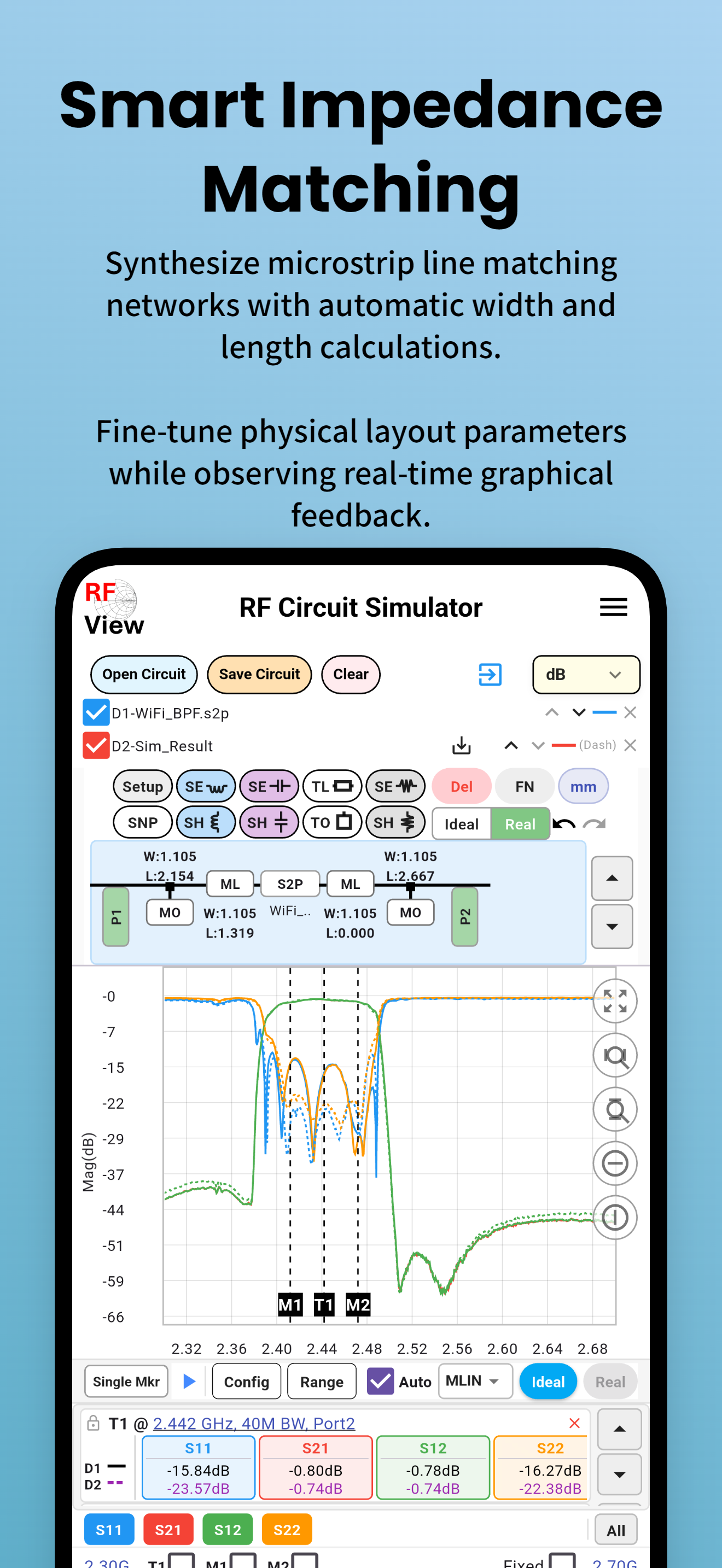
Synthesize microstrip line matching networks with automatic width/length calculations and real-time graphical feedback.
Bridge simulations to PCB reality. Auto-substitute ideal values with real Murata inductors and capacitors (Real Match).
Monte Carlo simulation evaluates manufacturing yield by modeling component tolerances and physical drift across multiple runs.
Batch-convert Touchstone files: port mapping, format rewrite, frequency resampling, SxP→S2P slicing, and CSV export.
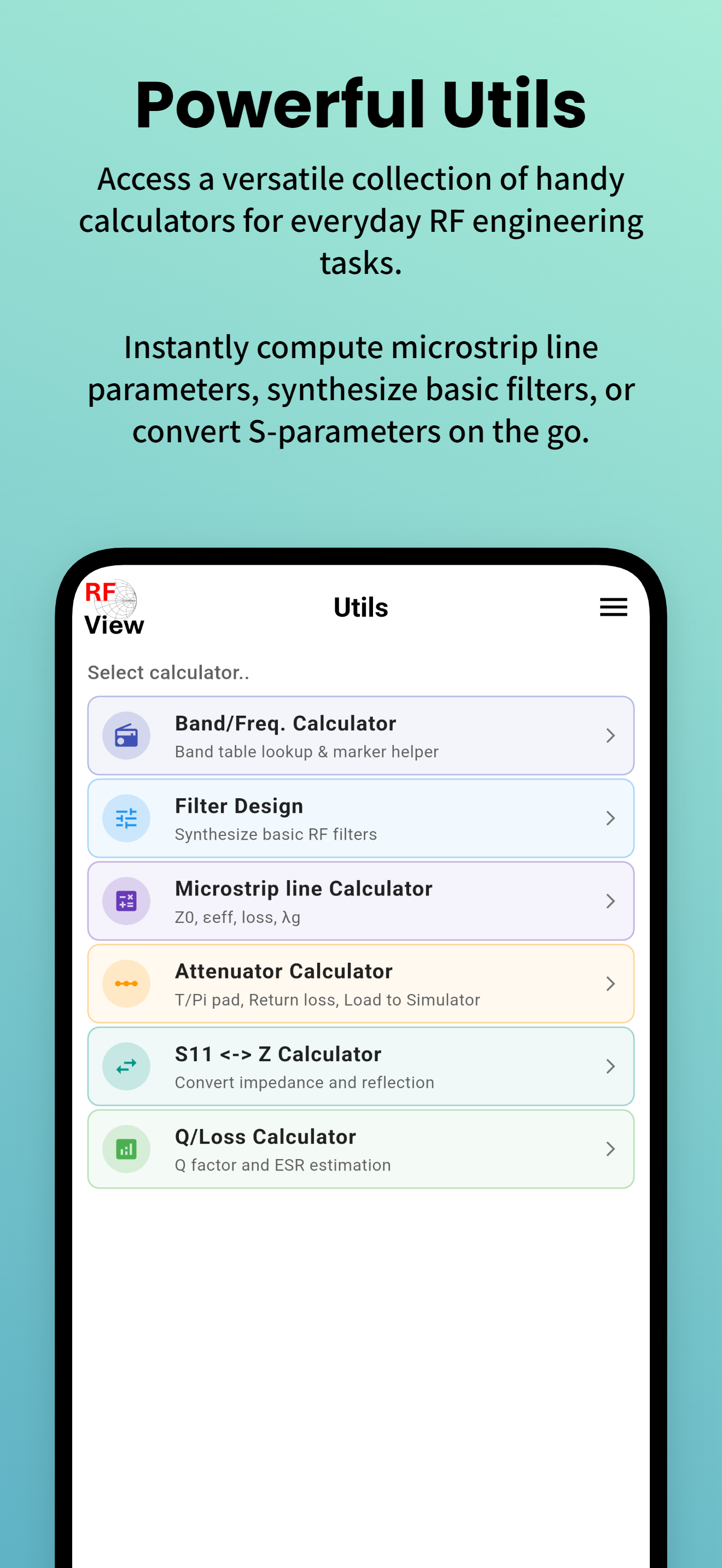
Band/Freq calculator, Filter design, Microstrip line calc, Attenuator (T/Pi), S11↔Z converter, Q/Loss calculator, and more.
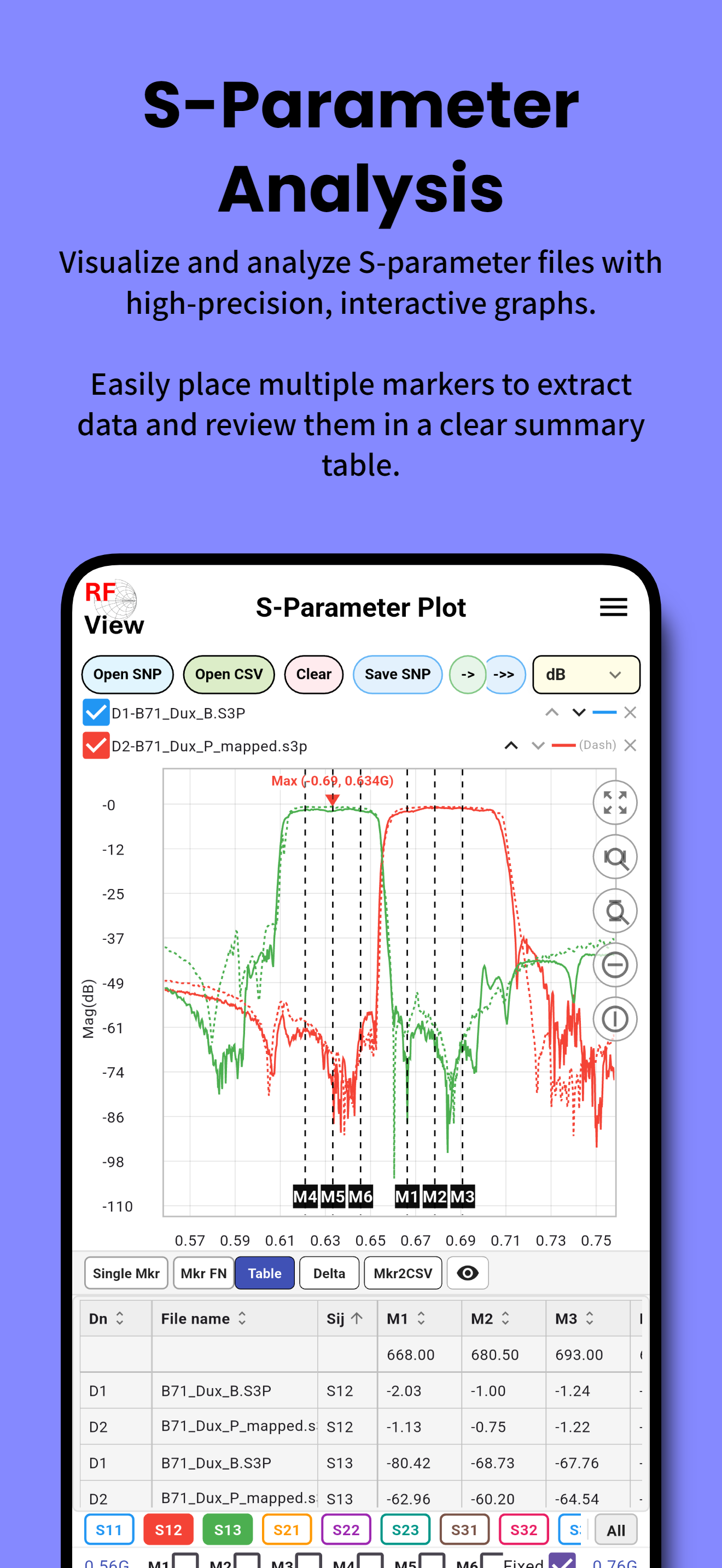
Visualize RF Data with Precision
Open and compare multiple SNP files on a single interactive chart. Extract critical values with smart markers and review them in a clear summary table.
- Open S1P / S2P / S3P / S4P Touchstone files instantly
- Compare multiple files on one chart with color-coded traces
- Smith chart with trace, marker, data, and Q-circle overlays
- Multiple markers: Single, Table, Delta, BW Mkr, FN modes
- S2P port extraction & port mapping
- Export to CSV or save annotated SNP files
- Share files directly from the app
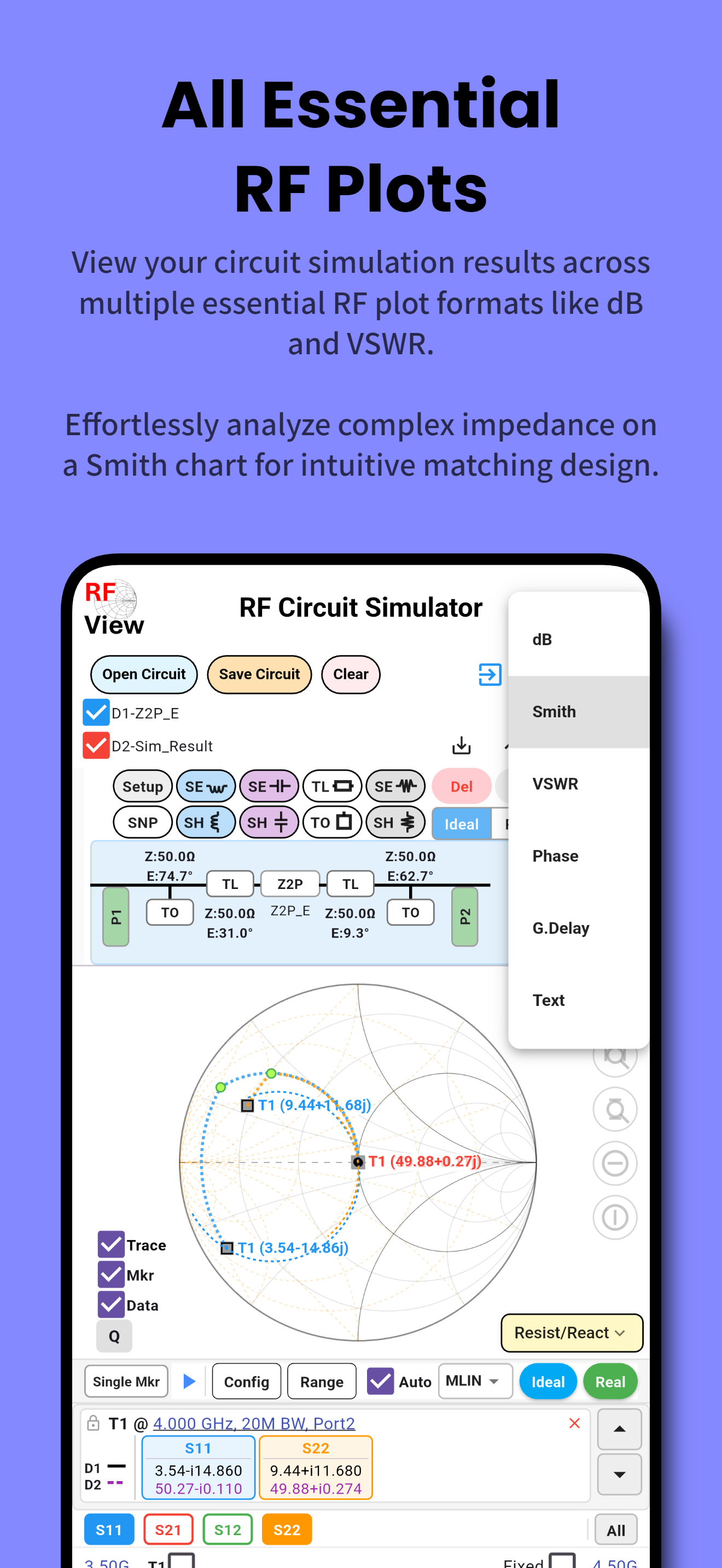
Build & Simulate RF Circuits
Construct multi-port RF circuits using ideal or real components. Run full-wave simulations and transfer results directly to the Plot tab.
- R / L / C components in series or shunt configuration
- Ideal & Real T-line blocks (Z₀, θ / W, L microstrip)
- S2P DUT block — load measured device data
- Composite blocks (SE parallel L/C, SH series LC/LR)
- Schematic view with component value labels
- Save / load circuits as JSON
- Send Sim_Result to Plot tab with port/DUT header
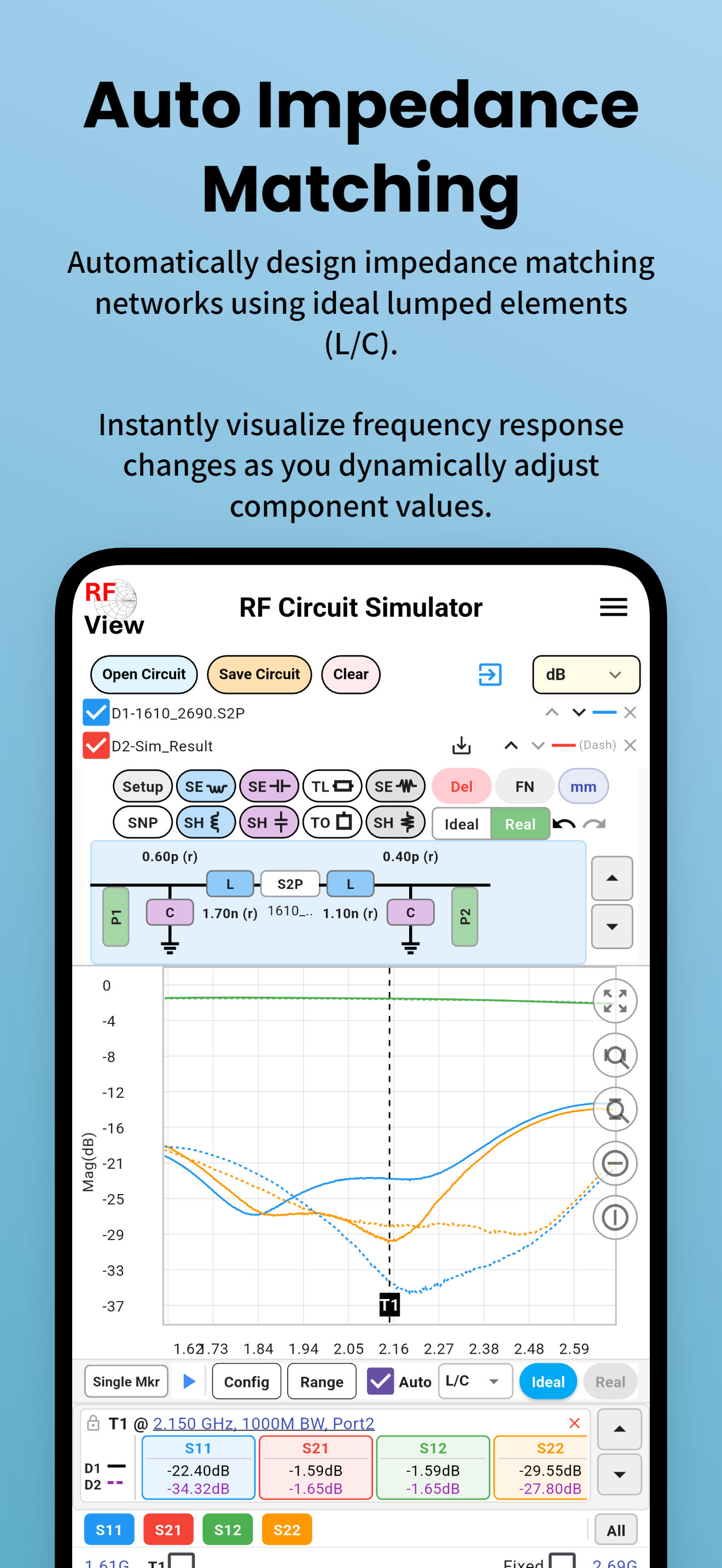
One-Click Matching Network Design
Automatically design L/C lumped matching networks. Instantly visualize frequency response changes as you adjust component values.
- Ideal lumped element (L/C) matching synthesis
- Real microstrip line matching with W & L calculation
- Target impedance / return loss tuning range
- Ideal / Real mode toggle per component
- S1P / S2P input — both ports independently matchable
- Real Match: auto-substitute Murata component combos
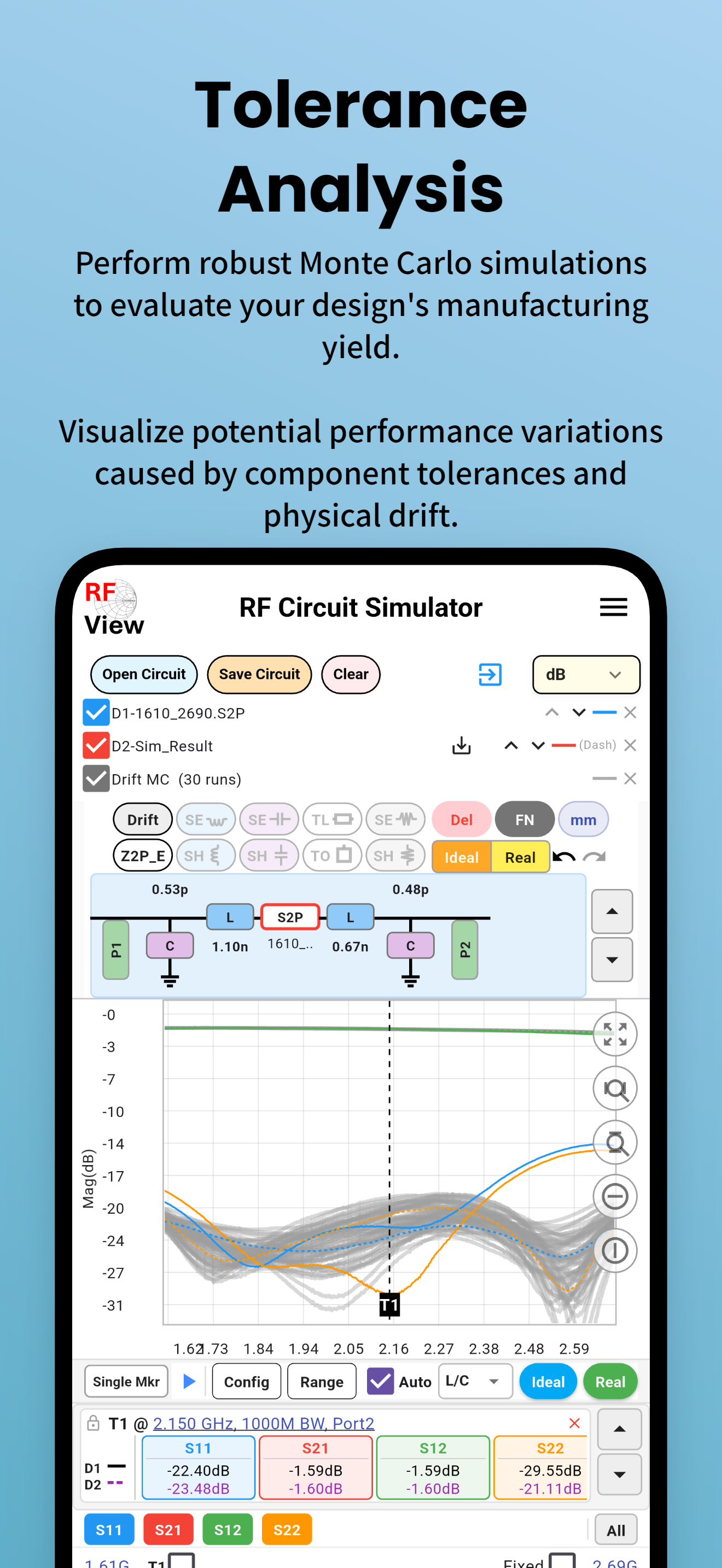
Evaluate Manufacturing Yield
Perform robust Monte Carlo simulations to assess how component tolerances and physical drift affect your design's real-world performance.
- Monte Carlo simulation with configurable run count
- Visualize performance spread across all simulated runs
- Identify worst-case and nominal performance boundaries
- Component drift modeling for physical parameters (W, L)
- Works seamlessly with existing circuit setups

Powerful Touchstone File Processing
Manage and convert Touchstone files with powerful batch tools. Perform advanced operations like port mapping, frequency resampling, and CSV exports in seconds.
- SNP → Data Summary Table / Wide CSV export
- SxP → S2P port slicing
- dB ↔ Re/Im format conversion
- Port Change: port mapping & reordering
- Freq. Change: range crop & frequency resampling
- Align 2 SNPs to same frequency points
- Batch process multiple files at once
Handy Calculators, Always at Hand
A versatile collection of everyday RF engineering calculators — instantly compute parameters without leaving the app.
See RF View in Action

Watch RF View in Action
Short YouTube demos showcasing key features of RF View. See how quickly you can go from raw S-parameter data to a matched circuit.

RF View App Intro
S-parameter, Smith Chart & Auto Impedance Matching overview

One-Click Auto S2P Matching
Instantly generate a matching network from any S2P file

1-Click GaN HEMT Matching
L/C & Microstrip impedance matching for GaN power amplifiers

S-Parameter Port Change
Remap and reorder S-parameter ports in seconds
Free RF Engineering Reference Library
300+ in-depth articles, calculators, and guides — written for working RF engineers.
50+ terms defined: S11, VSWR, Smith chart, noise figure, Q factor, Touchstone format, and more — with formulas and practical examples.
Step-by-step guides: L-network design, Smith chart interpretation, batch SNP processing, Monte Carlo simulation, VNA measurement, and more.
Interactive calculators: VSWR↔Return loss, microstrip impedance, attenuator (T/Pi), L-network matching, noise figure cascade, and more.
S-parameter analysis guides for LNA, PA, SAW/BAW filters, duplexers, couplers, baluns, circulators, RF cables, and PCB substrates.
In-depth theory: why 50 Ω, power waves, Bode-Fano limit, stability analysis, ABCD matrix, phase noise, VNA calibration, and more.
Practical answers: what S11 is good for an antenna, VSWR causes, acceptable insertion loss, SNP file format, and how to use RF View.
Start Your RF Analysis Today
RF View is free to download on Google Play. No sign-up required. Open your first SNP file in seconds.
Free · Android 6.0+ · No account required